30 missions, 15 minutes each, and every one says exactly where to stop.
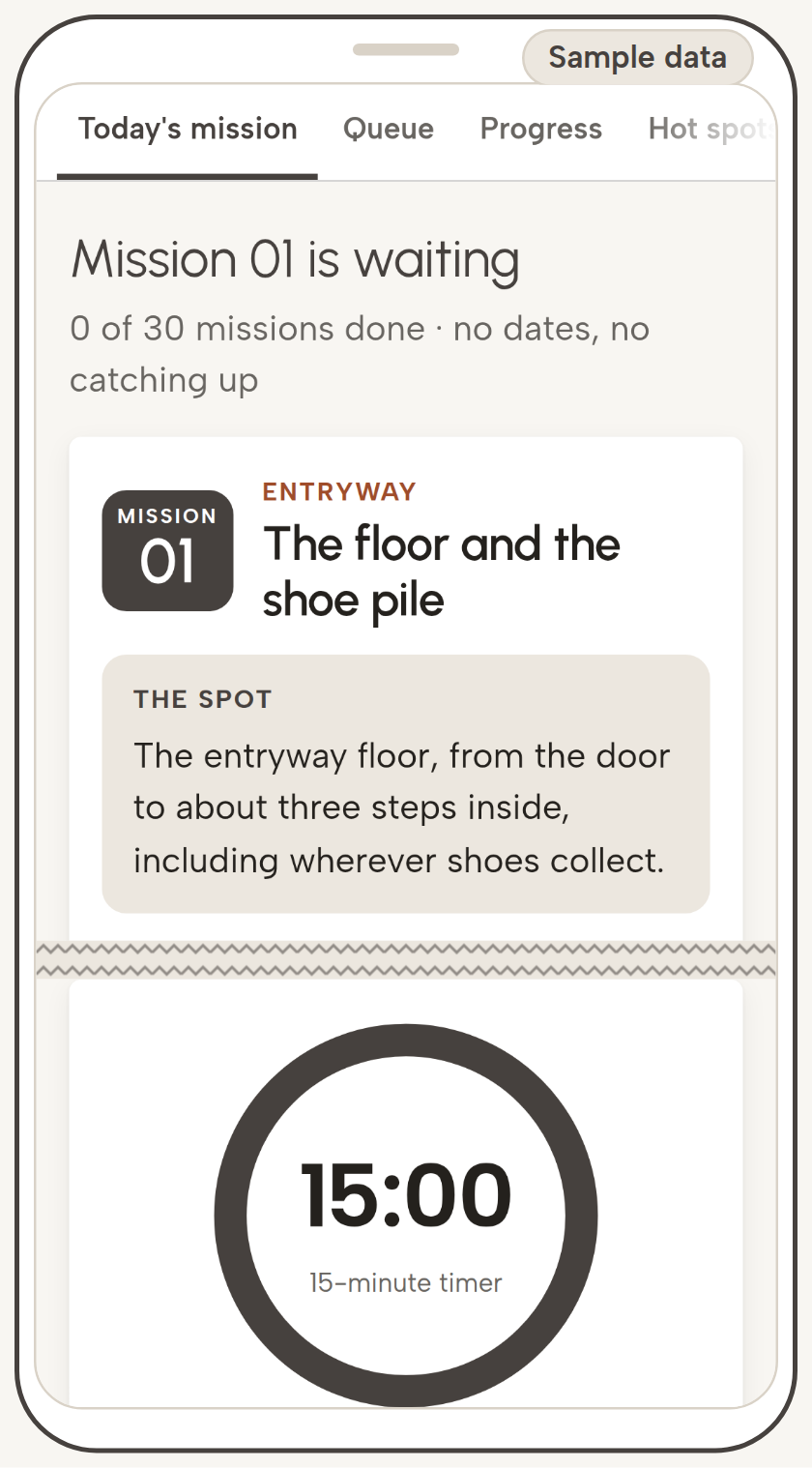
Every time you open Tidymile, today's 15-minute mission is already picked: one spot, a rule for every item you pick up, and a clear place to stop. Thirty missions take you through 12 areas of your home, and the checklist keeps track of what's done.
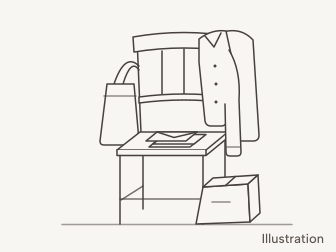
There's a chair in a lot of homes that nobody has sat on since spring.
It started with one jacket. Then a tote bag. Then the mail that needed a closer look, a phone charger, a sweater that might go back to the store, and a box that has been on its way out for so long it has seen two holidays.
You've walked past that chair a hundred times thinking, this weekend.
Then one evening you actually have 15 minutes, so you go and stand in front of it. You pick up the sweater. Keep it? Return it? Is it too late to return it? You put it down. You pick up the mail. That's going to take a while. You put that down too.
A few minutes later, the chair looks exactly the way it did when you walked up to it.
Nothing in that moment is laziness. You walked up with 15 minutes and three questions that nobody had answered for you yet.
Three questions at minute one
Every declutter session opens with the same three:
Where exactly do I start? Not "the dining room." Which spot, and where does that spot end?
What do I do with this thing in my hand? Keep it, donate it, sell it, toss it, or set it back down and promise to deal with it later.
When am I allowed to stop? If "done" means the whole room, 15 minutes looks pointless before you even begin.
When nothing has answered them ahead of time, you answer all three on the spot, holding a sweater. That's where the 15 minutes go.
The mess is the same size either way. What changes minute one is whether those three answers are already waiting for you when you walk up to it.
A list of rooms only gets you partway through the first question. It says "kitchen," and leaves the spot, the rule, and the stopping point for you to work out at minute one.
So we built Tidymile the other way around. Every mission starts from where it ends.
The Endpoint Queue
Each mission arrives with four things already picked:
The spot. One stretch of your home with edges, like "the one stretch of kitchen counter that collects the most, from the backsplash to the edge." Never just "the kitchen."
The rule. What to do with every kind of thing you'll pick up there, including the things you're not sure about.
The endpoint. A "done when" line you can check, and a 15-minute timer on the screen. If the timer goes off first, you stop anyway, and the mission picks up where you left off next time.
The exit. Where each pile goes when the timer stops, including the things that shouldn't go in the trash, so the donate bag has a way out of the house, not just out of the room.
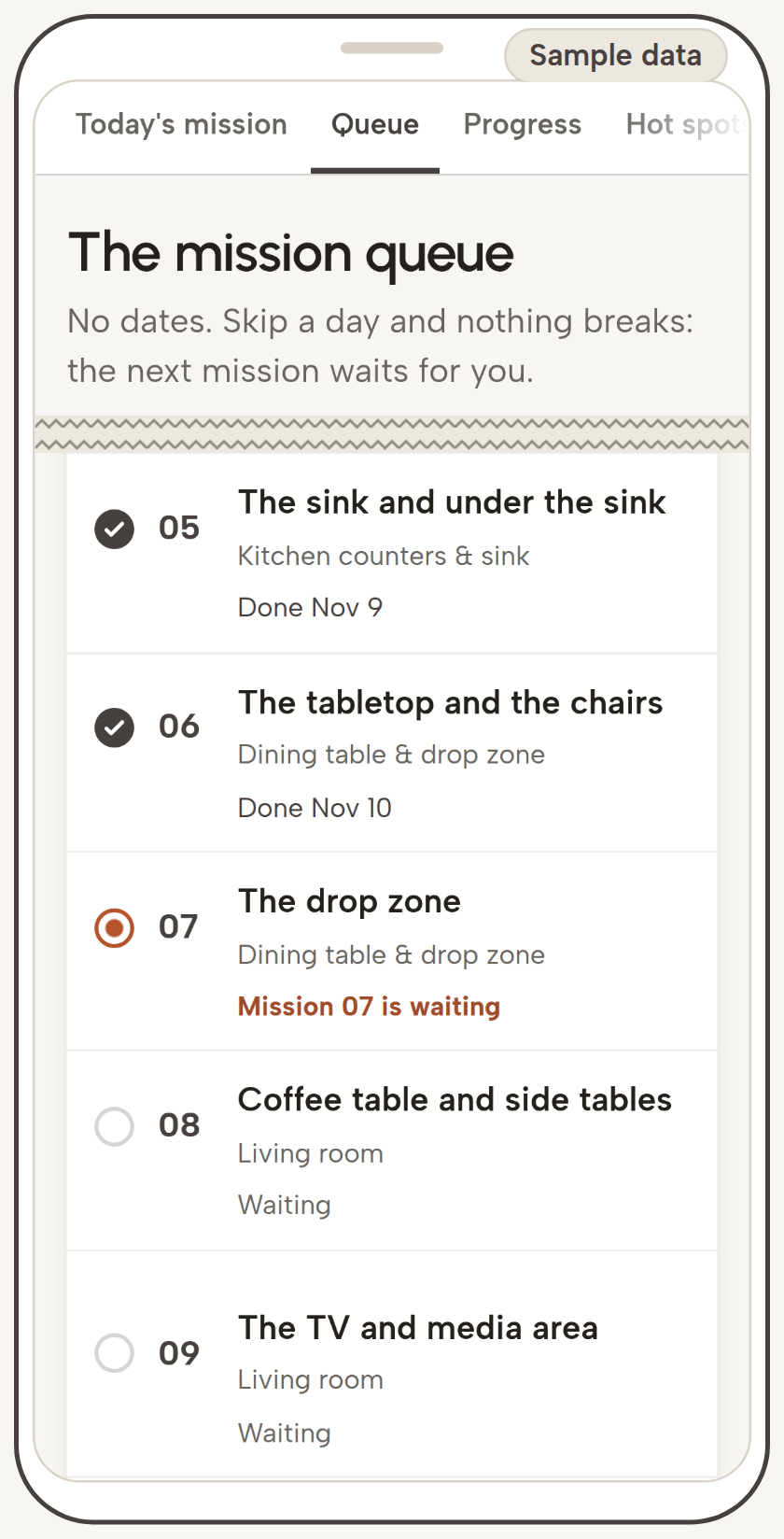
Then the missions wait in a queue. Open Tidymile, hit Today's mission, and the next one is there. The queue has no dates, so if you skip a day (or a week), nothing is overdue and nothing is behind. The next mission is right where you left it.
The queue starts with spots that are quick to sort and easy to see, like the entryway, the kitchen counters and the dining table, and leaves the slower ones, like the closet and the flex room, for later in the line.
You can see the whole idea in one mission. So here's one.
Mission 7, start to finish
If things land on a chair at your place, that chair has a name in Tidymile. It's a drop zone, and Mission 7 is about it.
Below is Mission 7 from the checklist, word for word. Instead of reviews (Tidymile is brand new), here's the product itself: read the mission, and if your home has a spot like that chair, you can do it tonight without buying anything.
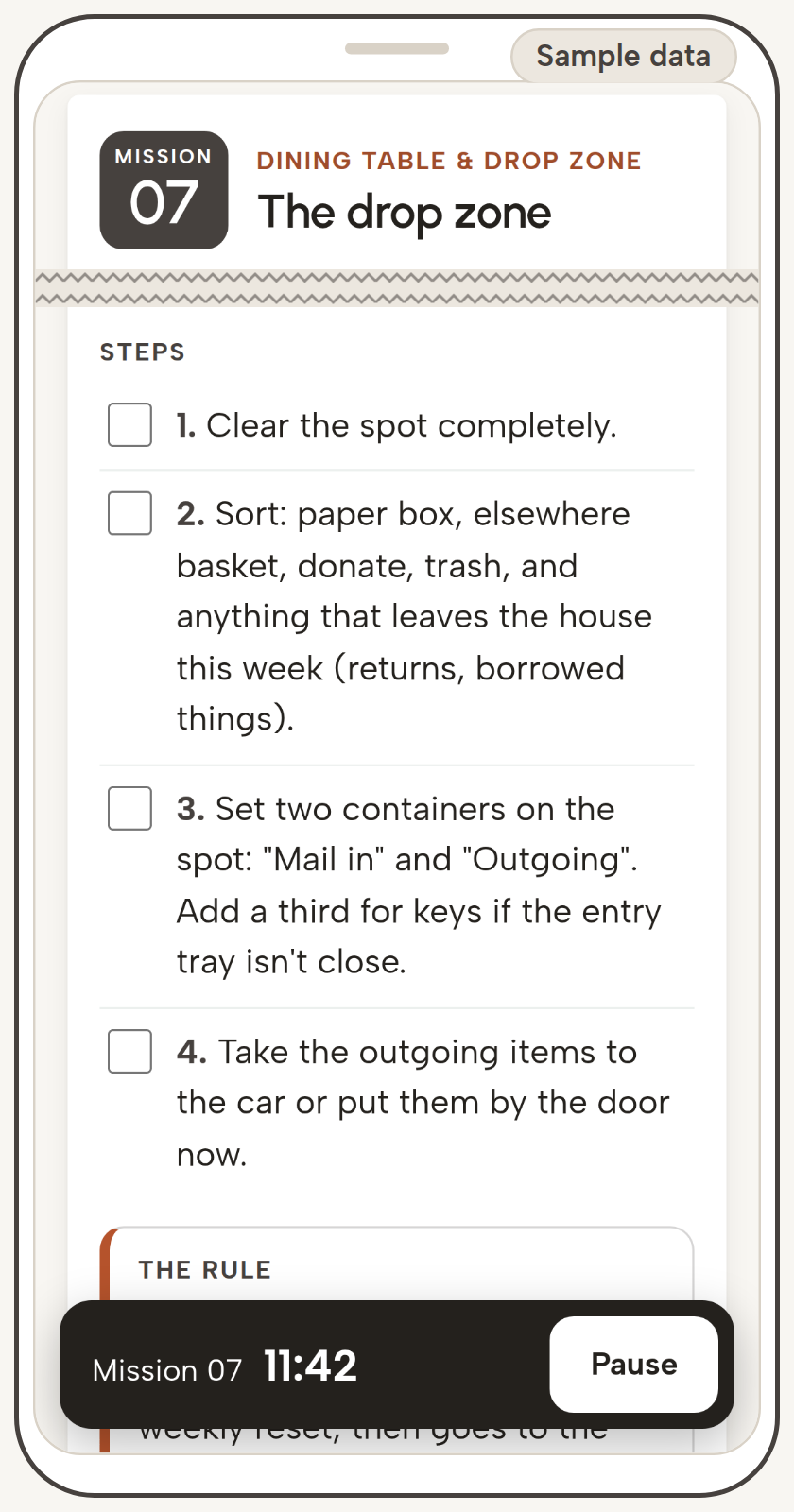
Mission 7 · Dining table & drop zone
The drop zone
The spot: The place where things land when you walk in: the end of a counter, a console, a chair or the corner by the door. Pick the one where mail and bags gather in your home.
Bring: Donate bag · Trash bag · Elsewhere basket · Two or three trays, bins or boxes of any kind
Steps:
Clear the spot completely.
Sort: paper box, elsewhere basket, donate, trash, and anything that leaves the house this week (returns, borrowed things).
Set two containers on the spot: "Mail in" and "Outgoing". Add a third for keys if the entry tray isn't close.
Take the outgoing items to the car or put them by the door now.
The rule: Nothing lives in the drop zone. Mail waits in "Mail in" until your weekly reset, then goes to the paper box. Returns and borrowed items wait in "Outgoing" and leave within a week.
Done when: The spot holds only its containers, and every outgoing item is in the car or by the door.
Where each pile goes:
Outgoing: Returns, borrowed items, donation bags from earlier missions
Paper box: All of it
Elsewhere basket: Everything with a home in another room
Short on time: Set up "Mail in" and "Outgoing" and drop today's pile into them.
If the timer rings first: Put everything left into "Mail in" for now. Next time, start at step 2.
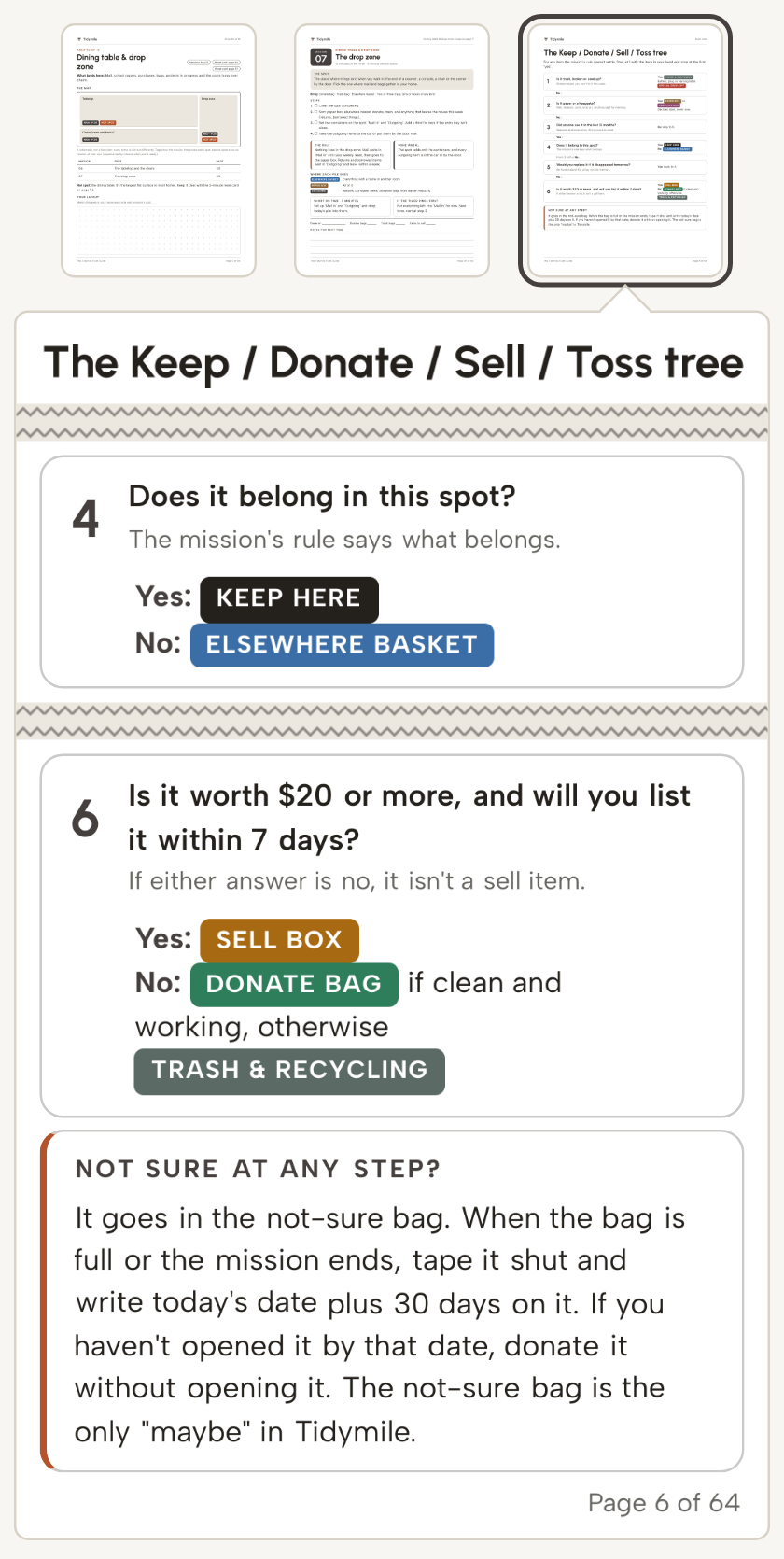
That's one mission. And the sweater from the chair? If it's going back to the store, Mission 7 already says where it goes: "Outgoing," and out of the house within a week. If it can't go back anymore, or you're torn, the Keep / Donate / Sell / Toss tree in the Field Guide takes it from there, and the tree's answer to "not sure" is the not-sure bag: taped shut, dated 30 days out, and donated unopened if nobody has opened it by then. Either way, the sweater stops asking you questions.
The other 29 missions work the same way, across all 12 areas of your home: the spot, the rule, the endpoint and the exit, already picked before you start the timer.
Keep or Return
Do a few missions first. If Tidymile isn't for you, one email within 30 days gets you a full refund: no form, no proof you used it.
30-Day Money-Back Guarantee: email support@tidymile.shop within 30 days of your purchase and you'll get a full refund of what you paid for that item, back to the way you paid. No form, and no proof of use.
Refunds are made by Auryon369 (Fracktal Technologies LLC), our merchant of record, or by us.
Inside Tidymile, counted
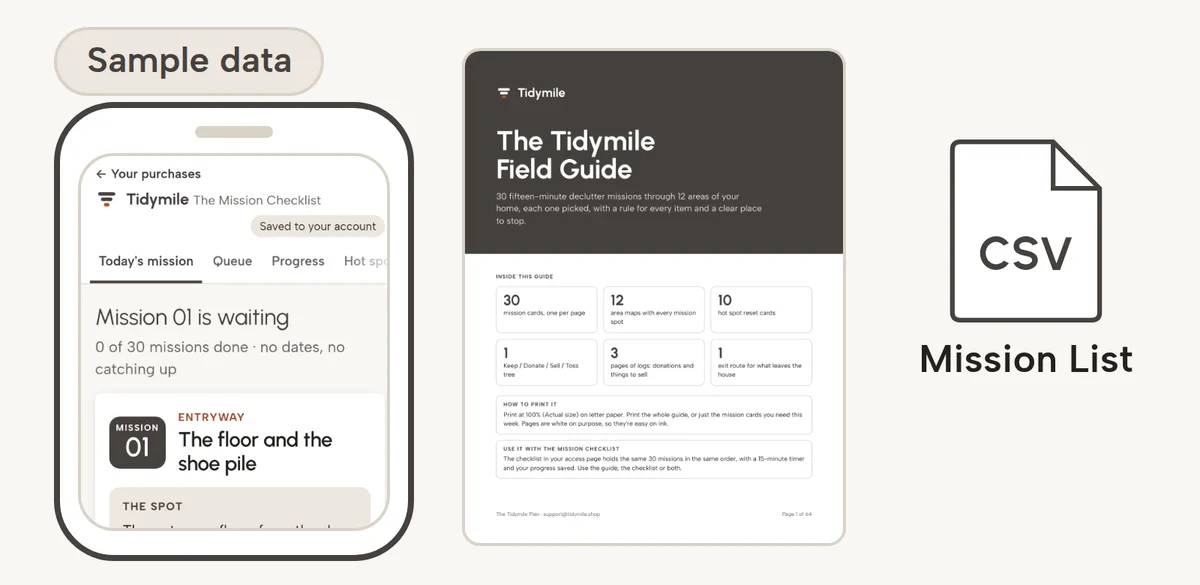
The Mission Checklist. It opens in your browser, on your phone or your computer. Nothing to install.
30 missions in a queue, across 12 areas of your home
In every mission: the spot, what to bring, 4 steps, the rule, a "done when" line, where each pile goes, a short version for days when 15 minutes is too much, and where to pick up if the timer rings first
A 15-minute timer on the screen
A Today's mission button that opens the next mission in the queue
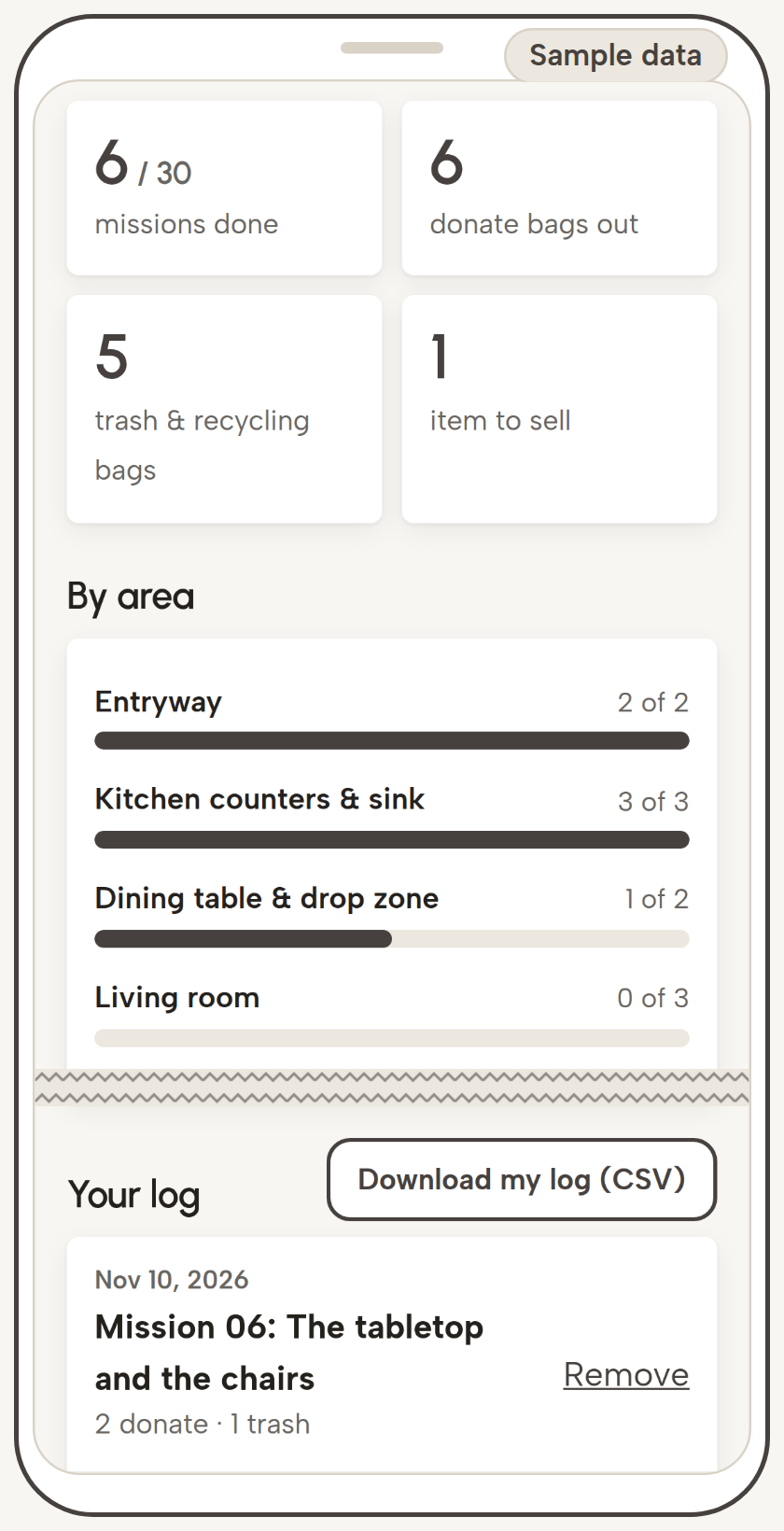
Progress by area, and a log with the date of every mission you finish
Your progress is saved to your account, so it opens the same on your phone and your computer
The Tidymile Field Guide. A 64-page PDF, US Letter size, to print at home or read on a screen.
How to use the plan: 4 pages
The Keep / Donate / Sell / Toss tree, with a branch for "not sure": 1 page
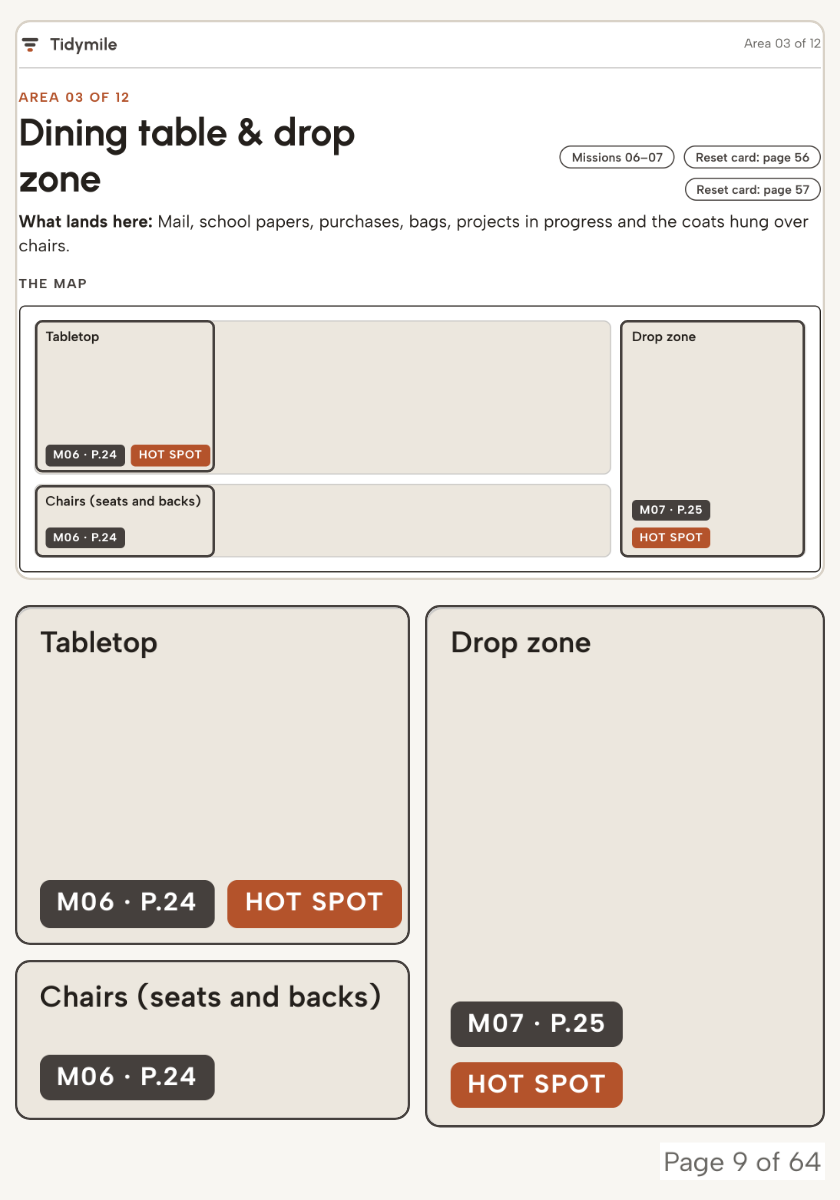
12 area maps, one per area, with the spots each mission covers: 12 pages
30 mission cards, one per mission: 30 pages
Donation log: 2 pages
Sell list: 1 page
The exit route, for everything that's leaving the house: 1 page
10 hot spot reset cards, for the surfaces that fill back up: 10 pages
The paper box and keepsake box rules: 1 page
Progress board: 1 page
Index: 1 page
The Mission List. One CSV file with all 30 missions, for anyone who'd rather work from their own spreadsheet.
Email support. Write to support@tidymile.shop with any question about your access or a mission. We answer within 2 business days.
The 12 areas, and what's not in the 30
The 30 missions cover these 12 areas, in the order the queue takes them:
Entryway
Kitchen counters & sink
Dining table & drop zone
Living room
Bathrooms
Kitchen cabinets & drawers
Pantry & fridge
Linen & hall closets
Laundry area
Bedroom surfaces
Closet & dresser
Flex room (your home office, a kids' room or the guest room: you choose which)
Not in the 30: the garage, the attic or basement, and storage units. Those have their own missions in the Garage & Storage Add-On, an optional checkbox at checkout.
Missions don't go through paper or keepsakes either. Each goes into its own box as you work, and the Field Guide gives each box a one-page rule. Sorting a whole paper pile takes a different kind of session, and we didn't want it to stall Mission 7.
A weekend, a free list, or 30 missions
You have options, and some of them cost nothing.
A weekend purge gets a lot done in one go, if you have the weekend free, and still have the energy on Sunday afternoon.
A free list or 30-day challenge is a fine place to start, and if one has worked for you, keep using it. A list of rooms tells you where to go. The spot, the rule and the stopping point are still yours to work out.
A subscription habit app is good at daily reminders, and keeps charging every month.
A professional organizer does the work with you, in person, at a professional's rate.
Tidymile sits between them. You do the work, 15 minutes at a time, and every session arrives with its spot, its rule and its endpoint already picked. You could write 30 missions like Mission 7 yourself. Tidymile is for when you'd rather spend those evenings clearing the chair.
Will it work in your home?
A good match: things have piled up around your home, you can find 15 minutes here and there, and minute one is where you tend to stall.
Not a match: you want someone to do the work for you, or the clutter has reached a point where you'd want a professional's help. And if the garage or a storage unit is your only project, the 30 missions won't get there: they stay inside the house. If you want the house and the garage, the add-on at checkout puts 8 garage and storage missions in the same queue.
Line up your 30 missions
The Tidymile Plan: 30 Fifteen-Minute Declutter Missions, Room by Room — $37 USD, one-time payment
30-Day Money-Back Guarantee: email support@tidymile.shop within 30 days of your purchase and you'll get a full refund of what you paid for that item, back to the way you paid. No form, and no proof of use.
Your access link arrives by email right after your payment is approved.
Questions
Is this a physical planner?
No, nothing ships. The checklist opens in your browser, and the Field Guide is a PDF you can print at home or at a print shop, or read on a screen.
Does it work on my phone?
Yes. The checklist opens in your phone's browser, so you can carry it from spot to spot. There's nothing to install.
What if a mission takes longer than 15 minutes?
Then the timer wins. You stop, tie the bags, and the mission picks up where you left off next time. Each mission is sized for a 15-minute timer on a spot of ordinary size. A spot that's fuller than most may take two timers, and that's fine.
What happens if I stop for a week, or a month?
Nothing. The queue has no dates. Next time you open Tidymile, the next mission is waiting.
My home is small. Or big. Will it fit?
The 30 missions cover the 12 areas listed above, and the flex room is whichever extra room you have. In a small home, some missions may finish before the timer does. In a big one, a full spot may take two timers.
What if I switch phones?
Your progress is saved to your account. Sign in on the new phone with the email you used at checkout, and your queue and your log are right where you left them.
Does it cover the garage, or my paperwork?
The 30 missions cover the 12 areas listed above. The garage, the attic or basement, and storage units are in the Garage & Storage Add-On, an optional checkbox at checkout. Paper goes into one box during the missions, with a one-page rule for the box; the missions don't sort it.
Is this a subscription?
No. It's $37, one time, and there's nothing to renew.
How do I get it?
Your access link arrives by email right after your payment is approved. To come back later, go to https://www.tidymile.shop/access/, enter the email you used at checkout, and we'll send you a sign-in link.
Will this keep my home tidy for good?
No plan can promise that, and we won't. What Tidymile gives you for the surfaces that fill back up is the set of 10 hot spot reset cards in the Field Guide: a short reset for each of them.
Who sells Tidymile?
Tidymile makes the plan and answers your emails at support@tidymile.shop. Orders and payments are handled by Auryon369 (Fracktal Technologies LLC), our merchant of record, and refunds are made by Auryon369 or by us.
What if I'd rather return it?
30-Day Money-Back Guarantee: email support@tidymile.shop within 30 days of your purchase and you'll get a full refund of what you paid for that item, back to the way you paid. No form, and no proof of use.
Mission 1 is already picked
Here's what tonight can look like. You open the link in your email and hit Today's mission. Mission 1 is there, in the entryway: the spot, the rule, the "done when." You start the timer and pick up the first thing.
You stop at the "done when" line or when the timer goes off, whichever comes first. The bags get tied. Once Mission 1 is done, it goes into your log with today's date.
Tomorrow, or next Tuesday, Mission 2 will be waiting.